FIFA 19 Loyalty Glitch Still Exists In Ultimate Team For Extra Chemistry
By Ford James ·
EA haven't patched out the loyalty glitch which is an easy way to get loyalty for SBCs. Here's how to do the loyalty glitch in FIFA 19 Ultimate Team and get loyalty in under 30 minutes.
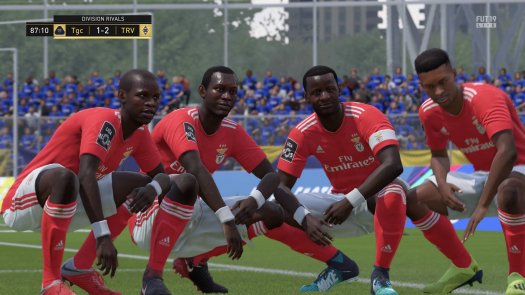
It’s been in the game for a few iterations now and with the release of FIFA 19, EA Sports surprisingly hasn’t patched out the infamous loyalty glitch. If you don’t know what loyalty is, it works as follows: once a player has played 10 games for your club in FIFA 19 Ultimate Team, they will gain loyalty. This is an added chemistry point for them in any squad they play in. Players also instantly have loyalty if you open them in a pack, but buying them from the transfer market means they don’t have loyalty straight away - they need to play 10 games. In order to get 100 chemistry, depending on your squad, you may need some players with loyalty.

This is especially prevalent in Squad Building Challenges. Usually called SBCs, these are puzzles where you have to create a squad that abides by specific criteria. A minimum chemistry rating is often required to complete some SBCs, and since these are just players you’ll be exchanging for a reward, playing 10 games with them to gain loyalty can be quite frustrating. Thankfully, EA haven’t got rid of the loyalty glitch in FIFA 19.
How to do the loyalty glitch on PS4

If you want to get a squad to all have loyalty for an SBC, you’re going to need to create a normal squad in the same formation as the SBC and with the same players. Take that squad and challenge the Team Of The Week in single player Ultimate Team. It doesn’t matter which difficulty you select. When you kick-off, pass it around your defence for 45-60 seconds in-game time. As soon as the match timer hits the one minute mark, pause the game and press the PlayStation button on your controller.
From there, navigate to your PS4 settings and enter the Network settings. Where “Connect to the Internet” is checked, uncheck it then check it again. Go back to FIFA 19 and you’ll see that you’ve been disconnected from Ultimate Team. Go back to the main menu and boot up Ultimate Team again. Head to your active squad and you’ll see that every player should have one match played for your club. Rinse and repeat this process nine more times and voila, your team will have full loyalty. This method doesn’t affect your win/loss ratio or overall games played for your club, it just benefits the players. You will have to apply contracts though to make it through all 10 games.
How to do the loyalty glitch on Xbox One

On Xbox One, the loyalty glitch takes a little longer than on PS4. Follow the same steps as outlined above: create a squad with the players you need loyalty for, then challenge the TOTW in single player. When the match timer hits one minute, pause the game. Here is where it differs: press the Xbox button and quit out of FIFA 19 completely. Now on the dashboard, load FIFA 19 back up and head back into Ultimate Team. Each player should have one game played, so just follow the same process for the rest of the matches. It takes longer because unfortunately, FIFA 19 takes longer to boot up from scratch than it does to reconnect to Ultimate Team on PS4.
Nifty trick, right? EA Sports could still easily patch this out of the game so don’t expect to always rely on it, but it’s been in the game for a few years now and hasn’t gone. It should take less than 30 minutes for each squad. You need to do this trick to get full loyalty for the squad in the Tough SBC - we’ve covered that here with the cheapest possible squad. If you want to see the rest of our FIFA 19 guides including a lot of the SBC challenges and gameplay tips, check out our guides hub.