How to Fix Red Dead Redemption 2 (RDR2) Online Xbox One Not Working
By Nicholas Barth ·
Xbox One players are currently seeing Red Dead Redemption 2 (RDR2) Online not working on the first day of the game mode's Beta being available to play.
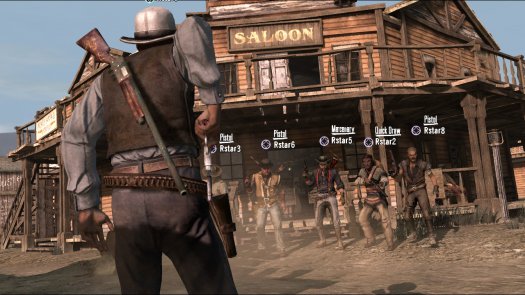
Tuesday, November 27th is the first day that Red Dead Redemption 2 (RDR2) Online is available for players to try with the game mode's Beta rolling out for owners of the Ultimate Edition of Red Dead Redemption 2. Unfortunately for Ultimate Edition RDR2 players on the Xbox One, many are experiencing issues connecting to the servers for Red Dead Redemption 2 Online on the Xbox One that is causing a not working status for players.
If you are one of the RDR2 Ultimate Edition Xbox One players who are having trouble with their Red Dead Redemption 2 Online not working, do not worry outlaw, as we have the currently known suggestions for you to try in order for you to stop Red Dead Redemption 2 Online from not working.
Red Dead Redemption 2 (RDR2) Online Not Working - Xbox One
The official support account for developer Rockstar Games posted an announcement earlier today that stated they are aware of the issue that is currently affecting the ability for players on the Microsoft console from playing the Beta of the new game mode for the western title. Rockstar games is currently affecting the issue but has not yet provided an expected time for when the issue should be resolved for Xbox Ultimate Edition players for Red Dead Redemption 2 (RDR2) Online.

However, the Rockstar Games Support games account has suggested to individuals to try and clear their cache on their Xbox console in an effort to help them stop RDR2 from not working.
- Press and hold the power button on the front of the console until the Xbox One completely shuts down
- Once the indicator lights on the front of the Xbox One and the console’s power brick are off, disconnect the power brick from the back of your console.
- Wait at least 30 seconds
- Plug the power brick back into your Xbox One and turn it on
- Boot up the game
If clearing the cache of your console does not fix the issue of Red Dead Redemption 2 Online not working then another option that you can pursue is to fill out a customer support ticket for Rockstar Games that should have a representative from the developer help solve the issue of RDR2 Online not working for you one-on-one. You can fill out a customer support ticket for Rockstar Games here.
With the Online mode for Red Dead Redemption 2 being a very highly anticipated gaming experience for many players, the issue of RDR2 Online not working for Xbox One players is one that Rockstar Games is likely working very closely on in order to make sure it is fixed as soon as possible.
(cover photo courtesy of Rockstar Games)