Apex Legends PC Requirements; Minimum & Recommended
By Jeff Kotuby ·
We have the minimum and recommended PC requirements for Apex Legends covered for you.
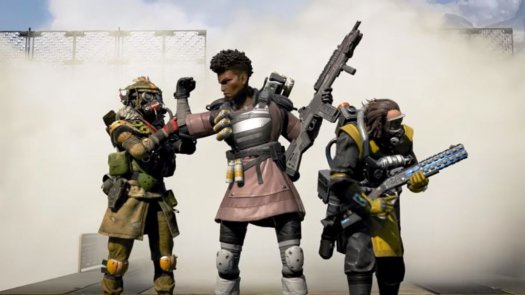
Apex Legends is no doubt one of the hottest games to come out in some time and, as such, developers Respawn Entertainment want to make sure that as many PC players have a chance to join in. While you could just download the game on PS4 or Xbox One, what's the fun in that? Nothing beats a keyboard and mouse for a shooting game. If you're not sure how your PC fares as compared to the minimum and recommended settings, then check out the required specs you'll need to enjoy Apex Legends.
Apex Legends minimum system requirements
The minimum requirements are rather forgiving, only an Intel Core i3 is needed for the CPU while someone with a GeForce GT 640 should have no trouble running the graphics on low. It won't be pretty, but it'll work!
- OS: 64-bit Windows 7
- CPU: Intel Core i3-6300 3.8GHz / AMD FX-4350 4.2 GHz Quad-Core Processor
- RAM: 6GB
- GPU: NVIDIA GeForce GT 640 / Radeon HD 7700
- GPU RAM: 1GB
- HDD: Minimum 25 GB of free space
Apex Legends recommended system requirements
Even the recommended PC requirements aren't too intense. An Intel i5 recommended for the CPU and a GTX 970 or comparable alternative for the graphics card. These are both a few years old at this point, and with the release of the RTX 20 line, those looking to move from “minimum reqs” to “recommended reqs” could potentially find these parts for a low price.
- OS: 64-bit Windows 7
- CPU: Intel i5 3570K or equivalent
- RAM: 8GB
- GPU: Nvidia GeForce GTX 970 / AMD Radeon R9 290
- GPU RAM: 8GB
- HARD DRIVE: Minimum 25 GB of free space
Respawn Entertainment has also provided a list of all available PC options and features, for those who want to know how far they can push their PCs to run Apex Legends.

The game offers a FOV slider, among many other industry standard options. Here's what you can expect to be able to choose from, and plan your ideal settings before even installing the game:
Apex Legends PC Settings
- Adaptive Resolution FPS Target: 0 (off) - 100 (requires TSAA when Enabled)
- Adaptive Supersampling: Disabled / Enabled
- Anti-aliasing: None / TSAA
- Aspect Ratio: 4:3 and 5:4 / 16:9 / 16:10 / 21:9
- Ambient Occlusion: Disabled / Low / Medium / High
- Color Blind Mode: Off / Protanopia / Deuteranopia / Tritanopia
- Display Mode: Full screen / Windowed / Borderless Window
- Dynamic Spot Shadows: Disabled / Enabled
- Effects Detail: Low / Medium / High
- FOV: Slider (70-110)
- Impact Marks: Disabled / Low / High
- Model Detail: Low / Medium / High
- Ragdoll: Low / Medium / High
- Spot Shadow Detail: Disabled / Low / High / Very High
- Sun Shadow Coverage: Low / High
- Sun Shadow Detail: Low / High
- Texture Filtering: Bilinear, Trilinear, Anisotropic (2x, 4x, 8x, 16x)
- Texture streaming budget: None / 2GB VRAM / 2-3 GB VRAM / 3 GB VRAM / 4 GB VRAM / 6 GB VRAM / 8 GB VRAM
- V-Sync: Disabled / 3x buffered / Adaptive / Adaptive (1/2 rate)
- Volumetric Lighting: Disabled / Enabled
Apex Legends PC Features and Additional Settings
- Fully remappable key bindings
- Mouse acceleration: off/on
- Streamer Mode: Off / Killer Only / All
- ADS Mouse Sensitivity Multiplayer Slider: 0.2 upto 20.0
- Gamepad support with multiple configs and sensitivity options
- Voice Chat Record Mode: Push to Talk / Open Mic
- Open mic threshold slider
- Incoming voice chat volume slider
- Play Incoming Text Chat as Speech: Off/On
So crank up those settings and run this game like it was meant to be - on the highest settings possible! (Note: Twin Galaxies is not liable for exploding rigs or house fires.) Now that you know how to run the game, it's time to figure out who you're going to play as. Here's the entire list of Apex Legends characters and all their skills!