How to Get The Apex Legends Twitch Prime Pack
By TJ Denzer ·
Apex Legends has paired with Twitch Prime for some exclusive content including free Apex Packs and the Legendary Omega Point Pathfinder skin.
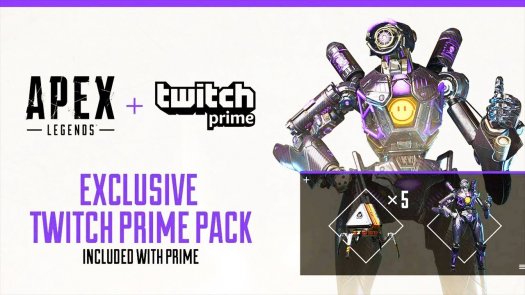
Apex Legends has found a wealth of success on Twitch between being one of those most streamed and watched games out there right now. Likewise, the Twitch Rivals Tournaments featuring the likes of Ninja and DrDisRespect have brought about some awesome streams of competition in the game. Now it looks like Respawn Entertainment and Twitch are looking to further their relationship with special content for Prime subscribers. We have the details on how to get the Apex Legends Twitch Prime Pack.
Recently announced via Apex Legends Twitter and on the Apex Legends Twitch Rivals stream on February 19, 2019, the Apex Legends Twitch Prime Pack is available exclusively to Twitch Prime subscribers up until April 20, 2019. Players who get the Pack will receive a wealth of cosmetic goodies including 5 free Apex Packs and access to the Legendary Omega Point Pathfinder skin. If you’re a Twitch Prime member, you should head over to the Apex Legends Twitch Prime page to get started.
Apex Legends is coming to Twitch Prime: link your account now and you’ll unlock five Apex Packs and the legendary Omega Point Pathfinder skin: https://t.co/8AlASmiDgT pic.twitter.com/DLhGrTrtyi
— Apex Legends (@PlayApex) February 19, 2019
Once you’re at the Apex Legends Twitch Prime page, you can link your Electronic Arts account to your PlayStation Network, Xbox Live, or Origin accounts. Once your accounts are linked (or if they were already), you should see a notification on the Twitch homepage header bar via desktop access where you can find all your Twitch Prime goods, including the Apex Legends Twitch Prime pack.
Make sure to keep up with the latest on Apex Legends, including the February 19 1.04 Update Patch and the latest standings from Twitch Rivals Tournament Week 2.