Blizzard Testing Replays on Overwatch PTR
By Wyatt Fossett ·
Players have been asking for it for as long as the game has been public and now Blizzard is finally testing out a replay feature.
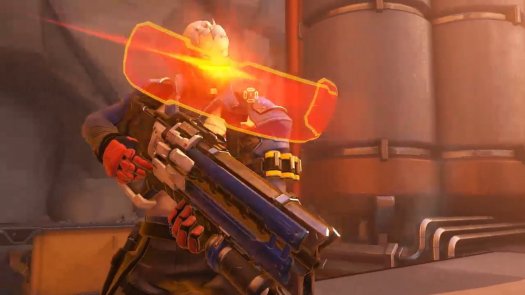
Today, Blizzard revealed that they’ve been working on Overwatch replays and that it’s already on the PTR (Public Test Realm). You can hop onto the PTR right now and secure replays of completed games.

For now, the PTR on PC will be the only platform with the freshly designed Replays system, but Blizzard says that it will be coming to consoles soon.
Ever get that feeling of déjà vu?!
— Overwatch (@PlayOverwatch) May 24, 2019
Experience your past Overwatch games from a whole new perspective with Replays. Now testing on PTR.
?: https://t.co/LNjOCZY0mP pic.twitter.com/MvULpvS8Lw
Replays have been a constantly huge part of Esports since the dawn of the industry, and no place are they more important than in training. Esports athletes have always used recorded videos and replays of matches to confer on strategies and build plans. Now, folks that play Blizzard’s fast-paced and extremely popular hero-based shooter will be able to do the same.
Keyboard Shortcuts
Here are some handy default keyboard shortcuts to get you started and spark some ideas about what you can control in Replays.
N: Show/hide controls
W, A, S, and D: Move camera around on a plane
Q and E: Move camera up and down
Scroll Wheel Up: Increase playback speed
Scroll Wheel Down: Decrease playback speed
(Ctrl+P): Toggle play/pause
Spacebar: Toggle between first-person and third-person view
Left/Right Mouse Button: Detach from first-person and third-person view to free camera
F1–F12: Spectate players (corresponds with the player list in media controls)
0: Snap to the objective
(Ctrl+L): Show map overlay
(Ctrl+1) – (Ctrl+9): Save bookmarks
1–9: Restore camera bookmarks
A complete list of shortcuts can be found by pressing Esc and selecting Options > Controls > Spectate. These keyboard shortcuts are fully customizable.

Observe Like a Pro
Here are a few tips to help you level up your Replays experience:
- If you want to learn how a specific player uses a hero, make sure to spectate both them and the enemy they’re attacking. This will help you understand the difference in their play styles.
- Using the map overlay (Ctrl+I) to watch a match will help you understand how team fights unfold. The icons for each hero provide status indicators so you can see exactly what is happening to that player.
- For the best view when using the map overlay, position your camera high in the sky and look straight down at the ground. This allows you to see an overhead map when using the tool.
- Setting up static cameras in specific locations can help you view fights from multiple perspectives and better understand team rotations. Remember to bookmark your locations each new match.
- If you’re creating highlight footage for videos, don’t overuse slow motion. For the most dramatic effect, slow down the most impactful moments of a play or a team fight.

Now that you can record and replay matches as the observers do, what’s the first technique you’re going to perfect?